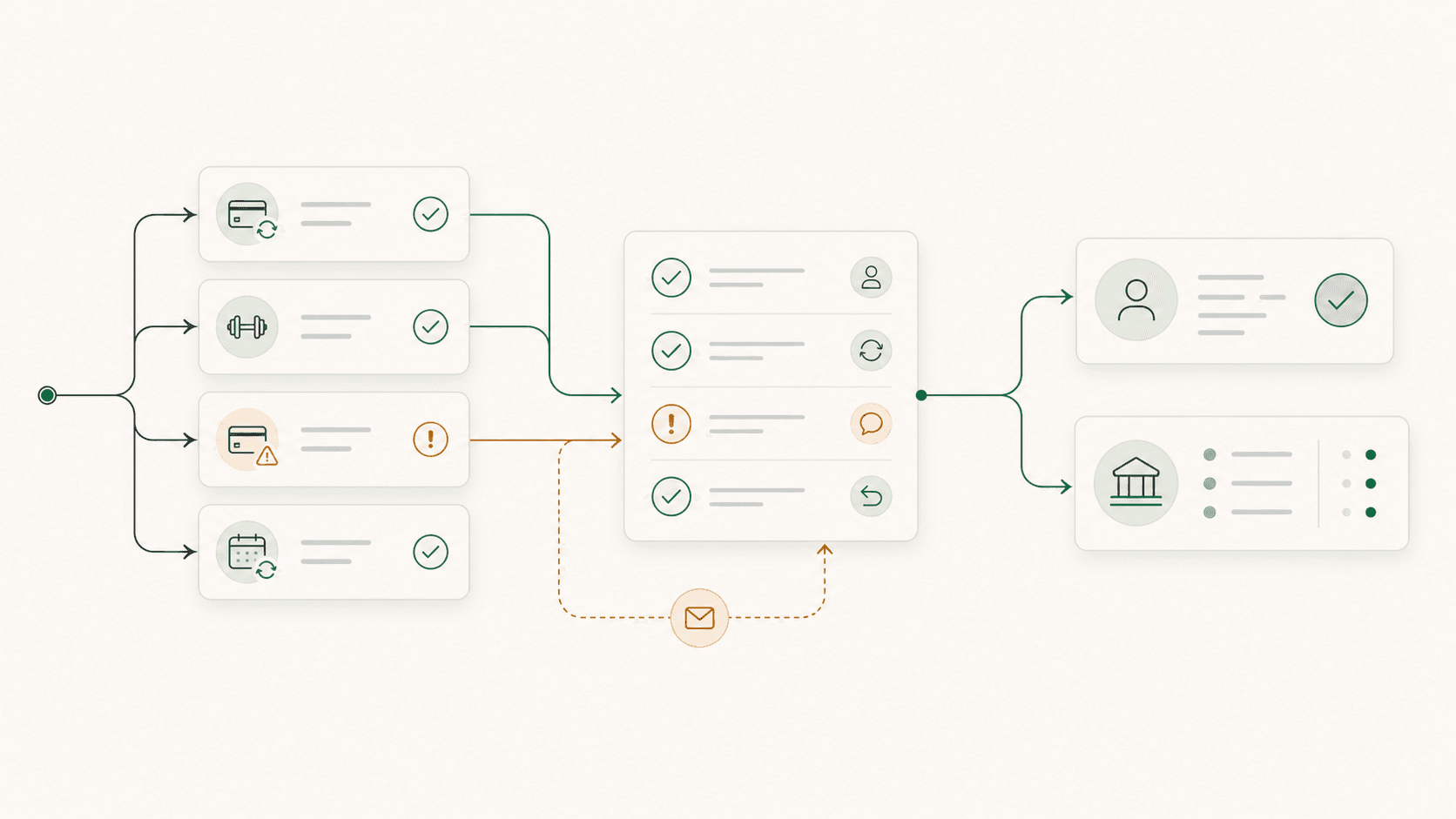
A Billing Health Check for Independent Gyms
A practical gym billing software checklist for reviewing failed payments, member status, cancellations, refunds, staff follow-up, and payout records.

Most billing problems arrive as ordinary exceptions: a failed renewal, a cancellation request, a refund someone promised, or a payout that does not match what the owner expected.
A gym can collect most of its payments and still be unsure whether the member record, access status, and money agree. This health check gives you a way to find those gaps before they turn into awkward follow-up or disputes.
Use one recent, complete billing cycle. The records may live in gym management software, a payment processor such as Stripe, a spreadsheet, or some combination of them. The goal is to leave with one exception list, an owner for each item, and a clear next action.
Gather the records for one billing cycle
Choose a period that is complete enough for scheduled retries and refunds to appear. Gather:
- active, paused, and cancelling members
- current memberships, prices, billing intervals, and next bill dates
- successful, failed, open, and overdue invoices
- retry attempts and payment-method update requests
- refunds, credits, disputes, and charge adjustments
- processor payouts and matching bank deposits
- cancellation, freeze, and billing notes kept by staff
Keep the original reports unchanged. If you need to combine or clean the data, work from copies and record the changes you make.
Score the current billing process
Use a simple status for every section:
- Green: You can answer the question from a reliable record.
- Yellow: You can answer it only by joining reports, reading messages, or asking a particular staff member.
- Red: You cannot answer it confidently, or nobody owns the next action.
| Area | Question to answer | Healthy evidence |
|---|---|---|
| Recurring billing | Did every expected renewal succeed, fail, or move into a known recovery state? | Subscription and invoice status by member |
| Member status | Do payment, membership, and access status agree? | One current member record with dated changes |
| Recovery | Does every failed payment have a next attempt or member action? | A dated exception queue with an owner |
| Changes | Were cancellations, freezes, upgrades, and price changes applied on the intended date? | Request, effective date, and resulting charge |
| Adjustments | Can each refund, credit, and dispute be explained? | Link to the member, payment, reason, and approval |
| Payouts | Can each bank deposit be traced to the transactions it settles? | Gross payments, fees, adjustments, and net payout |
| Follow-up | Can another staff member see what has already happened? | Shared notes, last contact, and next action |
Reconcile member status with billing status
Start with every person the gym considers active. Compare the member record with the subscription or payment record.
Review these cases one at a time:
| Exception | What to confirm |
|---|---|
| Active member with no active billing | Is the member prepaid, complimentary, paused, paying another way, or missing a subscription? |
| Successful billing with inactive access | Was access removed intentionally, or did one system fail to update the other? |
| Past-due billing with normal access | Is the payment still in recovery, and what happens after the final attempt? |
| Cancellation request with a future charge scheduled | What effective date did the member agree to, and was the subscription updated? |
| Freeze or pause with a recent charge | Do the payment and access rules match the approved freeze? |
| Grandfathered or custom price | Is the current amount intentional and documented on the member record? |
Do not bulk-correct exceptions before understanding them. A member without an active subscription may have paid annually, made a bank transfer, or received a deliberate accommodation. The audit should surface context rather than erase it.
Put every failed payment into a known state
Payment processors can automatically retry recoverable subscription failures, notify members, and collect updated payment methods.1 Stripe, for example, supports automated or custom retry schedules and distinguishes failures that may recover from those that require a new payment method.2
Automation reduces the list. The gym still needs to know what happens while recovery is in progress and what happens when it ends.
Every failed payment should move through a small set of states:
- New: The first attempt failed.
- In recovery: Another attempt is scheduled.
- Member action needed: The member must update or authenticate a payment method.
- Resolved: Payment succeeded or another approved arrangement was recorded.
- Closed: Recovery ended and the membership decision was applied.
A useful exception queue needs only:
| Field | Purpose |
|---|---|
| Member and amount | Identifies the relationship and exposure |
| Failure date and current state | Shows how long the item has been open |
| Next retry or required action | Prevents duplicate or premature follow-up |
| Last member communication | Keeps staff from sending conflicting messages |
| Owner and next review date | Makes responsibility explicit |
| Resolution | Preserves what ultimately happened |
Avoid treating every decline as a cancellation. Some failures resolve through a retry or card update. Others need a direct, respectful conversation. Staff should be able to see which situation they are handling before they contact the member.
Review cancellations, freezes, and refunds together
These changes often begin in a conversation and finish in several systems. For every request, confirm:
- when the member made the request
- the agreed effective date
- whether one final charge should occur
- when access or booking rights change
- how unused sessions or credits are handled
- whether a full or partial refund was approved
- who confirmed the outcome with the member
Then check the actual subscription, invoice, refund, and member status. A note saying “cancelled” is not enough if a future renewal remains scheduled. A processed refund is not enough if nobody recorded why it happened or what it changes.
The member should receive one clear outcome, and staff should be able to see it later without reconstructing the conversation.
Reconcile payouts to the bank
For each processor payout, confirm:
- the net amount matches a deposit in the gym’s bank account
- the underlying gross payments are identifiable
- processing and platform fees are visible
- refunds and disputes are included in the correct period
- delayed or failed payouts are being reviewed
Stripe’s payout reconciliation report, for example, groups the transactions settled in each automatic payout and provides itemized downloads.3 Manual and instant payouts may require a different reconciliation method, so use the report that matches the gym’s payout setup.
The processor or gym billing software should preserve enough detail to move from the bank deposit back to the payments and adjustments that produced it.
Fix problems in this order
Start with the issues most likely to create a wrong member outcome:
- members whose payment and access status disagree
- cancellation, freeze, refund, or dispute errors
- failed payments with no owner or next action
- payouts that cannot be reconciled
- repetitive staff work that can be simplified or automated
Count how many exceptions required staff contact, crossed multiple systems, stayed open for more than one review, or depended on private notes. Keep the same definitions each cycle so you can see whether the process is improving. Stripe’s recovery analytics, for example, tracks first-attempt failures, recovered payments, items still in recovery, and recovery rate.4
The first fix may be a clearer report, a shared queue, or a written rule rather than new software. Consider replacing the system when it cannot provide reliable statuses, dated changes, exports, member communication, and payout detail without a shadow process that staff must maintain.
If the audit points toward a platform change, use the gym software switching checklist before moving billing relationships or payment methods.
Questions to ask a gym billing software provider
- Can we see every failed payment and its current recovery state without exporting a report?
- Can we distinguish a scheduled retry from a payment that needs member action?
- What happens to the membership after the final failed attempt?
- How does a member securely update a payment method?
- How are cancellations, freezes, and future effective dates recorded?
- Can each refund or credit be traced to the member and original payment?
- Can we reconcile payouts to gross payments, fees, refunds, and disputes?
- Who owns the payment processor relationship and saved payment methods?
- What billing and member data can we export if we leave?
Ask the provider to demonstrate these with ordinary exceptions, not a clean demo account. A billing system proves its value when something fails, changes, or needs explanation.
Want to talk it through?
If you want another gym operator's perspective on cleaning up billing exceptions and member records, message us on Instagram. Brian replies personally.
Frequently Asked Questions
How often should a gym run a billing health check?
Run a complete review monthly while you are establishing the process. A shorter weekly review of failed payments and member-status exceptions can keep the month-end list small. The appropriate frequency depends on billing volume, staff ownership, and how much recovery is automated.
What billing metrics should a gym track?
Track first-attempt failures, payments still in recovery, recovered payments, unresolved exceptions by age, billing-and-access mismatches, and unreconciled payouts. Use the same definitions each period so changes are meaningful.
Is every failed payment a cancelled member?
No. A failure may recover automatically or after the member updates a payment method. Keep the item in a defined recovery state until payment succeeds or the gym applies its final membership policy.
Does a billing problem mean the gym needs new software?
Not necessarily. A shared exception queue, clear status rules, and regular reconciliation may solve the immediate problem. New software becomes relevant when the current setup cannot produce reliable records or requires the same manual repair every cycle.
Footnotes
-
Stripe. Revenue recovery. ↩
-
Stripe. Automate payment retries. ↩
-
Stripe. Payout reconciliation report. ↩
-
Stripe. Revenue recovery analytics. ↩