Is Mindbody the Right Fit for an Independent Gym?
A candid Mindbody evaluation for independent gyms: what the advertised $79 starting price covers, which costs require a quote, and what belongs in a complete proposal.

The demo went well. Booking looked polished. The reporting covered more ground than your current system. Marketing, payments, scheduling, and member management all appeared in one place, with access to a marketplace that already reaches people looking for fitness and wellness businesses.
Then the proposal arrives.
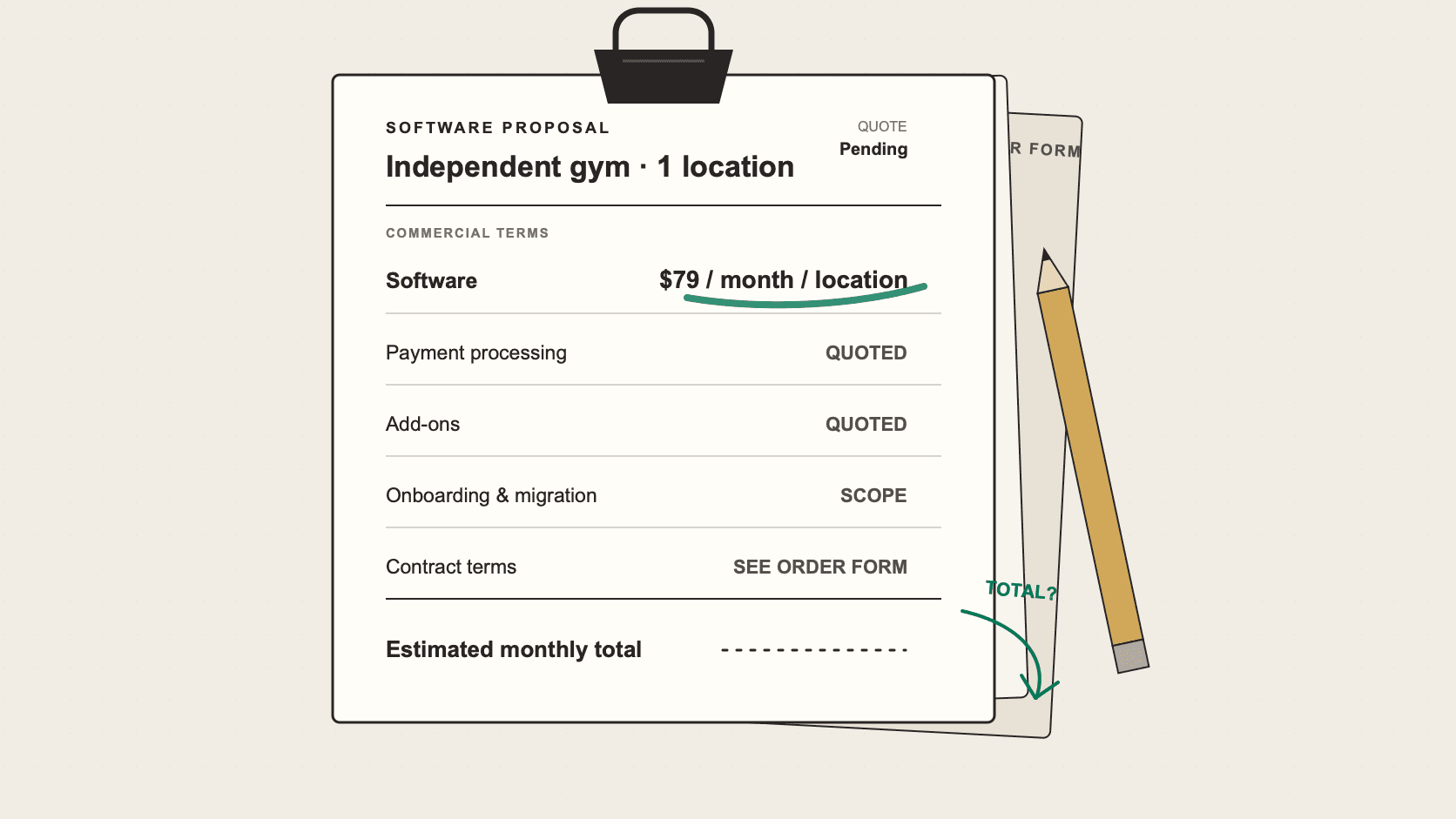
Mindbody advertises its Starter plan in the United States from $79 per month, per location.1 That number probably helped earn the demo. Once the sales conversation turns into a purchase decision, an owner needs enough detail to build a monthly budget and understand the commitment being made. The proposal has to supply the rest.
A Mindbody agreement may include the software subscription, payment processing, transaction-related charges, add-ons, implementation responsibilities, and contract terms. Some costs depend on the plan. Others depend on how members pay, which Mindbody services the gym enables, and whether a sale came through the Mindbody app. Several important rates are absent from Mindbody's public U.S. pricing materials.
The product may be compelling while the commercial arrangement is still incomplete. Read the documents together before scheduling a migration.
Pricing and terms checked August 2, 2026. Mindbody can change its pages and agreements; use the documents attached to your own offer.
Start with the $79 plan
Mindbody describes Starter as its entry plan for small fitness, wellness, and beauty businesses. The advertised package includes business management tools, integrated payments, branded website booking widgets, a listing in the Mindbody app, and basic reporting.12
That is a credible set of capabilities for $79 a month if the gym qualifies for the advertised starting price. Mindbody does not publish an objective test showing which businesses receive that price. There is no public member-count, revenue, staffing, or service threshold an owner can apply before requesting a quote.12
The plan boundary matters too. Mindbody places advanced reporting, additional scheduling controls, marketing, and automation in higher tiers. Accelerate and Ultimate require a sales conversation. A branded mobile app and other premium services are shown as add-ons or as features available with certain plans, without public U.S. dollar prices on the pricing page.12
A gym can begin with a genuine $79 software option and still need a different tier once its operating requirements are mapped to the package. Consider the features that affect an ordinary week: recurring membership billing, class capacity, staff permissions, appointment scheduling, family accounts, failed-payment follow-up, member messages, and the reports used to close the month. The proposal should identify the tier that covers those routines and show the price of anything added alongside it.
Breadth can earn its complexity
Mindbody serves businesses across fitness, wellness, and beauty, from solo providers and independent studios to larger, multi-location operators.2 That range helps explain the size of the product and the number of commercial pieces surrounding it.
For some independent gyms, the breadth carries real value. An owner running classes, appointments, retail, marketing, and multiple service types may prefer one established platform over a collection of smaller tools. A business that draws customers through Mindbody's consumer app may place a meaningful value on that reach. More advanced reporting or automation may justify a higher tier when staff regularly depend on those capabilities.
The same package can include features that a simpler gym rarely touches. A neighborhood strength gym with straightforward memberships and a small schedule may have fewer reasons to pay for a broad marketing stack. A yoga or Pilates studio with a busy class calendar, appointments, and marketplace discovery could reach a different conclusion.
Count the paid capabilities that connect to work the gym already does or intends to do soon. Features bought for a distant possibility tend to become permanent line items long before they become part of the business.
Payments can change the monthly picture
Software fees are generally predictable. Payment costs move with sales volume, transaction size, payment method, and the terms attached to the merchant account.
Mindbody documents fees connected to integrated payments, text messages, some integrations, and certain new-client discovery or sale paths in its app.13 Its public materials reviewed for this article do not provide a complete current U.S. schedule for card-present payments, card-not-present payments, ACH, refunds, disputes, or payouts. They also do not establish one marketplace commission that applies across every booking path.134
Without those terms, $79 remains a subscription figure. An owner cannot reliably calculate the effective monthly cost by borrowing a processing rate from an old article, a review site, or another gym's invoice. Those rates may belong to a different period, plan, region, payment mix, or negotiated agreement.
Use the gym's own recent processing history for the estimate. Pull several representative months and note card volume, ACH volume, transaction count, average payment size, refunds, and disputes. Apply the rates in the proposed merchant agreement. If Mindbody app bookings or introductory offers are part of the sales plan, include the fees attached to each relevant path.
That calculation gives the subscription price some context. For a gym with meaningful payment volume, the processing and transaction terms can have a larger budget effect than the difference between two software plans.
Read the agreement before migration begins
Mindbody's public business terms currently set a 90-day initial term followed by consecutive 30-day renewal periods, unless the agreement provides different terms. They require at least 30 days' notice before the relevant term ends.4
The reviewed terms also describe subscriptions as non-terminable before the initial term expires, payment obligations as non-cancelable, and paid fees as non-refundable. Ending service early does not remove fees owed through the remaining term. A specific order form, promotion, supplemental agreement, or applicable law may change those provisions.4
An owner should know the initial term, renewal period, notice deadline, and remaining payment obligation before choosing a launch date. That timing affects the old system too. There may be overlapping subscriptions while records are moved, staff are trained, and payment arrangements are settled.
Mindbody says it handles software configuration, data migration, and tailored training. The customer supplies business details, pricing, policies, and data, then remains responsible for training staff with the available materials. Mindbody does not publish a universal implementation timeline or a separate onboarding price on the reviewed pricing page.1
Migration effort varies widely. Member records may be easy to export while saved payment methods, waivers, attendance history, credits, family relationships, and future bookings require more care. The owners of The Atlas Gym reported that their migration from Mindbody to Gymsense took only a couple of hours and required little work beyond providing access and reviewing the result. That was one migration with one set of records and operating conditions. It does not establish a timeline for another gym.5
See how switching to Gymsense works, including the review environment, member payment authorization, cutover, and follow-up process.
What belongs in a complete proposal
By the end of the sales process, an owner should be able to find these items without reconstructing the deal from several conversations:
- The software tier, monthly price, location count, and any conditions attached to the quoted rate
- Payment rates and fixed fees for every method the gym expects to accept, including the treatment of refunds, disputes, and payouts
- Transaction, marketplace, messaging, integration, and new-client fees that could apply
- Each add-on, its price, and whether it can be removed separately
- The initial term, renewal period, cancellation notice, refund terms, and financial obligation after early cancellation
- The migration scope, data exclusions, staff responsibilities, training plan, target schedule, and any onboarding charge
If a material line still says “quoted,” “varies,” or “to be determined,” leave it open in the budget. A guessed number gives the spreadsheet a clean total without improving the decision.
Mindbody's marketplace and broad product can support a complex gym operation. A business with simpler routines may find that much of the package stays unused. For an independent gym, the answer should be visible on the proposal before anyone schedules the migration.
Use the normal-week gym software scorecard to test how the product handles the work your staff already does. The gym software pricing guide provides a consistent way to compare the full operating model. If a change is likely, work through the gym software switching checklist before setting a cutover date.
Want to talk it through?
If you want another gym operator's perspective on evaluating Mindbody for your gym, message us on Instagram. Brian replies personally.