Old billing stops
Your previous platform disables its recurring billing path.
Before you switch, we prepare a working version of your gym in Gymsense using your imported data. You review the product, approve the cutover, and track every remaining step in your Launch Plan.
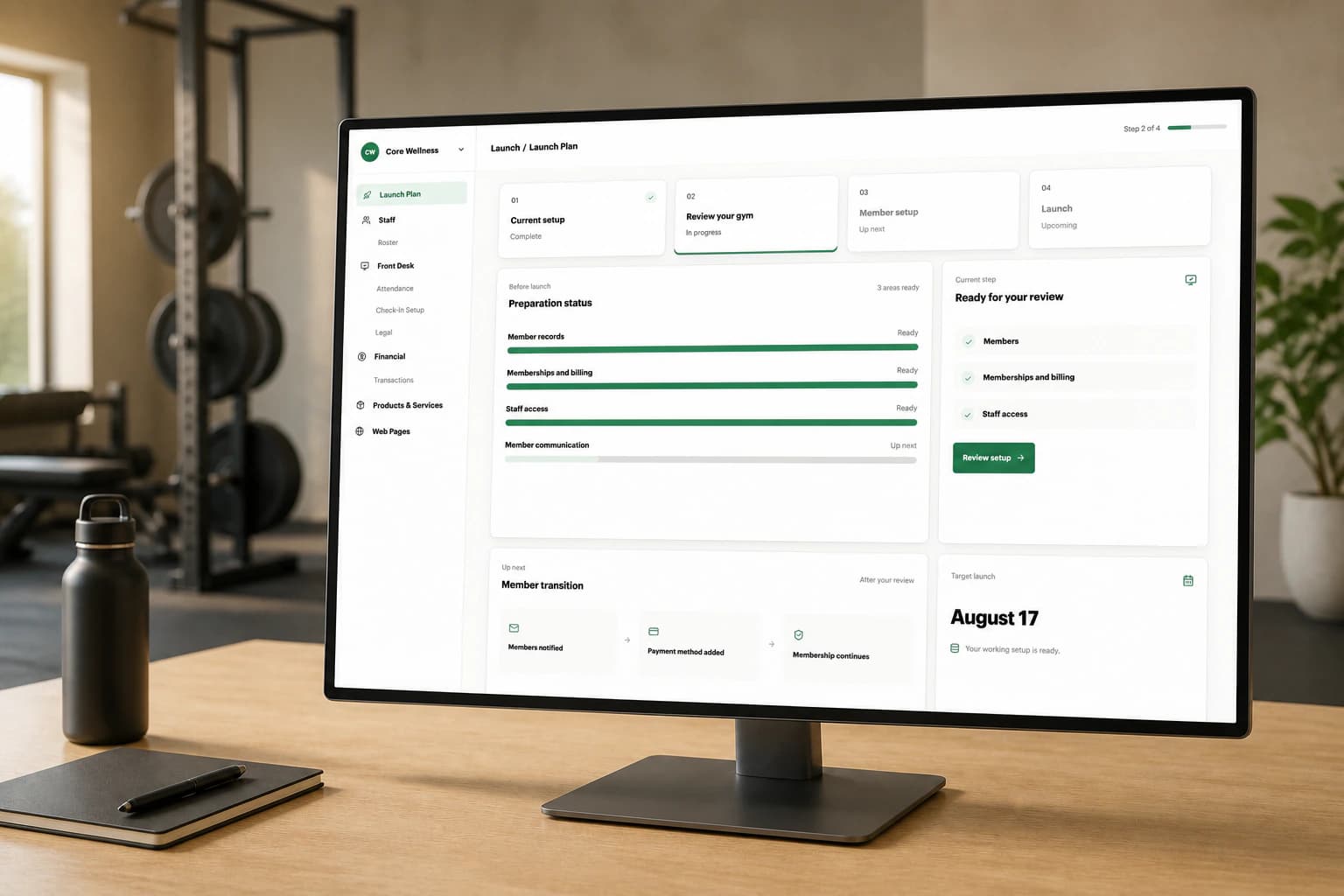
A migration has five parts: preparation, review, cutover, member setup, and follow-up. You will know what Gymsense is handling, what needs your approval, and what members will be asked to do.
We document how your gym sells memberships, bills members, manages schedules, and handles training and appointments today. That includes old prices, unusual billing schedules, training credits, staff roles, and exceptions that require manual handling.
Before we build the import, we agree on what comes over, what the source system cannot provide, and what you will review before go-live.


Before launch, you can click through your own member records, schedules, prices, credits, appointments, and billing dates in Gymsense—not in a spreadsheet. Your team can confirm its clients and permissions while your current system keeps running.
Once the records, billing, schedules, and staff access look right, you choose the launch date.
Your previous platform disables its recurring billing path.
We confirm the old billing path is inactive before Gymsense billing begins.
Gymsense becomes the live system and member payment setup begins.
We choose not to move or handle raw card details from your previous system. Each member authorizes a payment method directly through Stripe.
Their Gymsense account and membership are already set up. They do not rebuild a profile or choose a new membership.
The secure link opens the account that has already been prepared for them.
Their current price, billing date, credits, and appointments are already attached.
Payment details are entered directly through Stripe.


The migration dashboard shows who has added a payment method, which reminders have been sent, whether an invoice is open, and which exceptions still need attention.
Members can remain active during the agreed grace period. If a billing date passes first, the open invoice is collected when the member authorizes payment, and the original billing schedule stays in place. You can extend an exception when needed.
We can recreate customers, legacy prices, renewal dates, and billing schedules from Stripe or another clean billing source.
We identify missing fields, confirm the terms that matter, and turn those records into a setup you can review inside Gymsense.
At the complex end, we have already migrated individualized pricing, credits, appointments, billing history, staff roles, and permissions from a difficult source system.
Share your current records and operating setup, review your gym inside Gymsense, approve the member communication and cutover date, then track the remaining member payment setup after launch.
The timeline depends on the source records, billing setup, unusual membership terms, and how quickly your team reviews the prepared product. Preparation and go-live are separate: we do not set the cutover until you are comfortable with the new setup.
Available member contact details, memberships, prices, billing dates, credits, appointments, transaction history, staff accounts, roles, and permissions can all be mapped into the new setup. We identify any source-system limits before you approve the migration.
Yes. We build the migration around the records available from your current platform. If its exports are limited or unusually structured, we identify the required reports and mapping before cutover.
We can use those records too. We identify missing fields, confirm current membership and billing terms with you, and turn the source material into a working setup you can review inside Gymsense.
We choose not to move or handle raw card details from your previous system. Each member authorizes a payment method directly through Stripe instead.
Yes. Monthly, quarterly, and annual schedules can be recreated, including legacy prices that are no longer sold to new members.
Your current system keeps running while you review Gymsense. At cutover, the old recurring billing path is confirmed off before Gymsense billing begins. The exact handoff depends on the system you are leaving, so we verify the sequence instead of making a universal zero-downtime promise.
Yes. Owners, trainers, and front-desk staff can sign in to the private review environment and confirm their clients, schedules, roles, and financial permissions before cutover.
The member can remain active during the agreed grace period. When they authorize payment, the open invoice is collected and the original billing schedule continues. The migration dashboard shows who still needs attention and which exceptions the owner has extended.
Not necessarily. We can prepare and review Gymsense while the old system is still available, then coordinate the cutover around your notice period and billing schedule. You remain responsible for confirming the cancellation terms with your current provider.
We’ll review your current system, billing setup, records, and staff needs before we propose a migration plan.