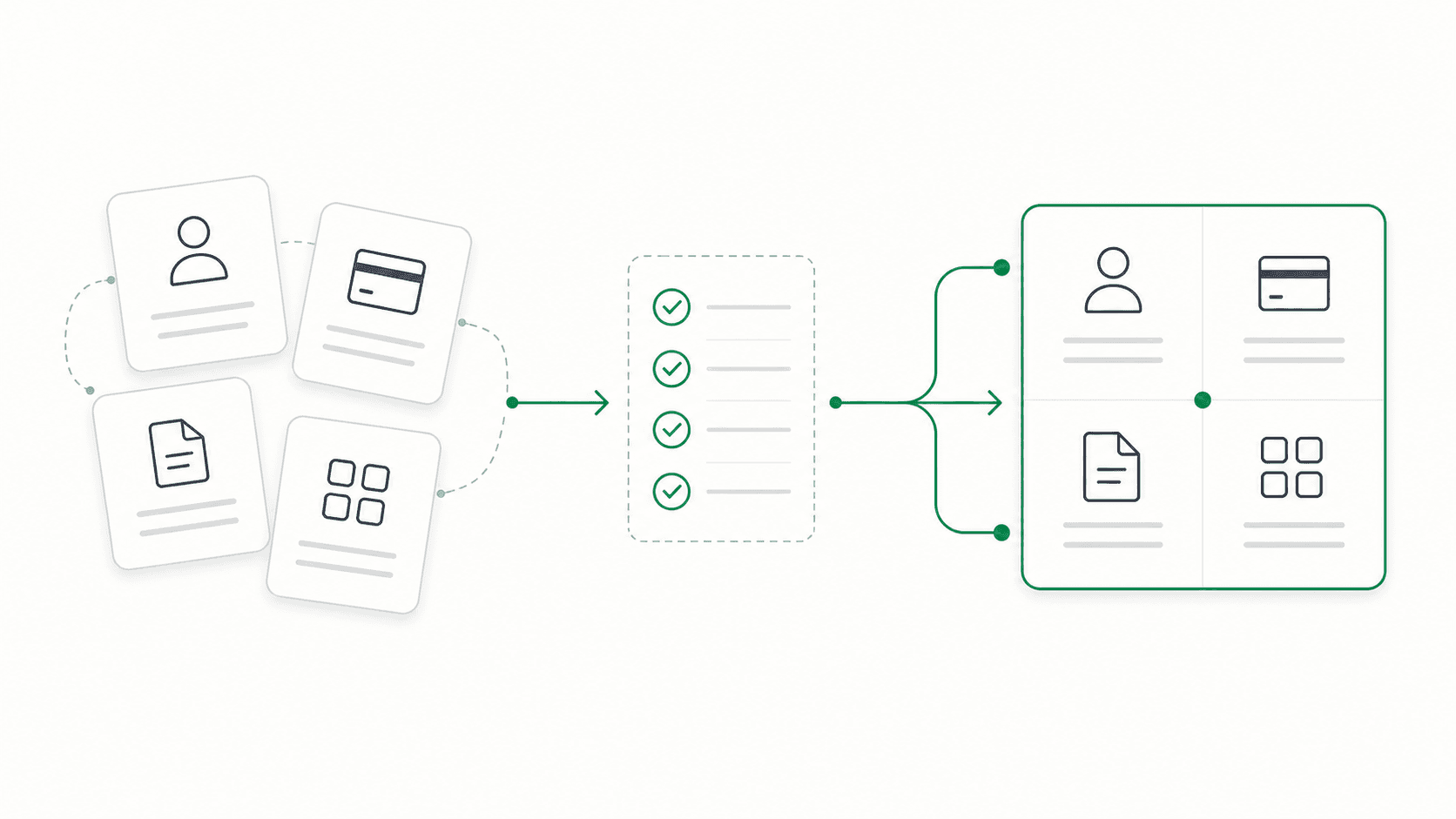
How to Switch Gym Management Software Without Losing Members or Data
A practical checklist for moving member records, billing, credits, and daily operations to new gym management software without a messy cutover.

Switching gym management software affects more than a member list. You are moving active billing relationships, grandfathered prices, unused credits, agreements, check-in, and the routines your staff rely on.
That is manageable when each part has an owner and a check. Use this guide to build the migration plan before you choose a cutover date.
Before you choose new software
If Mindbody is on your shortlist or is the system you are leaving, read the candid Mindbody fit and pricing evaluation before you accept a quote or choose a cutover date.
Ask your current provider for its cancellation terms and a complete export of your data. Do this while your account is active. You want enough time to review the files and ask for anything that is missing.
Confirm what the export includes:
- active, paused, and cancelled members
- member contact information and account identifiers
- memberships, prices, discounts, and billing dates
- signed agreements and waiver versions
- unused class, appointment, or personal training credits
- invoices, payments, refunds, and outstanding balances
- staff accounts, roles, and schedules
Also ask whether you can export the same information again immediately before cutover. The first export is for planning. The final export captures changes made while the migration is being prepared.
Build a migration inventory
Create one row for every type of information the gym uses. The inventory does not have to be complicated:
| Information | Source | What must be preserved | How you will verify it |
|---|---|---|---|
| Member profiles | Current platform export | Name, email, phone, status | Compare active-member counts and spot-check records |
| Memberships | Products and subscriptions | Product, price, billing interval, next bill date | Review standard and grandfathered examples |
| Agreements | Document export or scans | Signed document and waiver version | Open a sample from each membership type |
| Credits | Package or appointment report | Remaining sessions and expiration rules | Compare totals and high-balance members |
| Payments | Processor and platform reports | Customer, subscription, balance, payment status | Reconcile against the last billing report |
| Staff access | Current roles list | Who can view, sell, refund, or edit | Have each role complete a test task |
Keep an untouched copy of every source file. Cleanups and transformations should happen in working copies so you can always return to the original record.
Separate continuity from history
You may not need every old check-in or expired product inside the new system on day one. You do need enough information to serve current members correctly.
Put the migration into two buckets:
Continuity data keeps the gym operating: active member identity, current product, price, billing terms, next bill date, unused credits, access status, and the agreement governing the relationship.
Historical data helps with reference and reporting: old visits, completed appointments, expired packages, past invoices, and cancelled memberships.
Migrate continuity data first. Historical records can be imported, attached, or stored in a searchable archive depending on what the new platform supports. Decide that explicitly; do not discover after cancellation that the only copy was inside the old system.
Plan payment methods separately
A member record and a saved payment method are different things. Whether payment credentials can move depends on the processors involved, account ownership, and the transfer path they support.
Get written answers to these questions:
- Who owns the current payment processor account?
- Can customer and payment credentials be transferred to an account the gym controls?
- Which subscriptions must be recreated?
- Which members, if any, must add a card again?
- Who will communicate with those members, and when?
- How will the final charge in the old system be kept from overlapping with the first charge in the new one?
If members need to take action, prepare the message and follow-up list before launch. Avoid vague announcements. Tell each affected member what is changing, what is not changing, what they need to do, and the deadline.
Choose the cutover order
A safe cutover is a sequence, not a single switch:
- Freeze nonessential changes in the old system.
- Take the final export and preserve it.
- Import or update current records.
- Reconcile member, product, price, credit, and billing counts.
- Test owner and staff workflows.
- Test one complete member journey: purchase, agreement, payment, account access, and check-in.
- Send any required member communication.
- Activate the new system.
- Monitor billing, check-in, and support questions.
- Cancel the old system only after the new records and workflows are verified.
Choose a quieter operating window and make one person responsible for the go/no-go decision. Keep the old system accessible long enough to answer questions, but avoid running live billing in both systems without a written reconciliation plan.
Run first-week checks
Review these daily for the first week:
- failed, skipped, or duplicate payments
- members whose product, price, or next bill date looks wrong
- missing credits or access permissions
- check-in failures
- staff tasks that still depend on the old system
- member questions that reveal unclear communication
Record each exception and its resolution. That list becomes the final migration checklist and helps you decide when the old account is safe to close.
Questions to ask any new vendor
- What will you migrate, and what will remain as an archive?
- Who reviews the imported records before launch?
- How are grandfathered prices and custom arrangements represented?
- What happens to existing payment methods?
- Can the gym keep direct control of its payment processor account?
- What member action will be required?
- What is the rollback plan if reconciliation fails?
- How can the gym export its data if it leaves later?
Alex and Vivien, the owners of The Atlas Gym, told me the longest part of their move was notifying the vendor they were leaving. Their records were finite; uncertainty around the process was what made the decision feel large. A written inventory and cutover sequence turns that uncertainty into work you can check.
If you are considering Gymsense, see how we prepare your gym, review the imported setup, handle member payment authorization, and monitor the switch.
Want to talk it through?
If you want another gym operator's perspective on switching gym management software, message us on Instagram. Brian replies personally.
Frequently Asked Questions
How long does it take to switch gym management software?
The timeline depends on export quality, payment-method treatment, the number of special pricing arrangements, and whether members must take action. Treat preparation and go-live as separate milestones. Do not choose a launch date until the data, billing plan, staff workflows, and member communication have been reviewed.
What information is preserved when I switch?
At minimum, preserve the information needed to continue each active member relationship: identity and contact details, membership or product, price, billing terms, next bill date, unused credits, access status, and applicable agreements. Decide separately how historical visits, invoices, and cancelled memberships will be retained.
What if my records are messy?
Keep the original export unchanged, then document cleanups in a working copy. Flag duplicates, incomplete contact information, unusual pricing, and mismatched totals for review instead of silently guessing.
Can existing members keep grandfathered pricing?
They can if the new platform can represent each current price and billing term. Include every active price point in the migration inventory and test at least one member on each arrangement before launch.
Will members need to enter their cards again?
Possibly. It depends on the current and future payment processors, who owns the processor accounts, and whether they support a secure transfer. Confirm the transfer path before promising members that no action will be required.